
Warzone on Windows PC
Current price and access length are shown at checkout.
Buy nowEnglish — official language
Price shown at checkout
This is the product page for Call of Duty: Warzone on Windows PC. The same feature list is documented on the feature pages. Checkout shows the current price and access length.
Enable Aimbot
Turns the aiming module on or off. Leave it off until the other targeting controls are set the way you want.
Field Of View
Sets the targeting area used by the aiming system. A smaller field keeps the module closer to the center of the screen. A larger field includes targets farther from the crosshair.
Smoothness
Controls how gradually the aiming movement transitions toward the selected target. Higher smoothness slows that transition.
Max Distance
Sets the maximum range at which targets can be considered. Players beyond the slider are left out of targeting.
Ignore Knocked Players
Skips downed players so the module can keep evaluating players who are still up.
Save Target
Keeps the current target selected instead of switching as soon as another player enters the field of view.
Aim Lock
Holds the selected target while the control is active, instead of re-picking a target on every update.
Visibility Check
Accounts for whether an enemy is visible, where the build supports that check, before the target is used.
Humanized Smoothness
Applies an extra smoothing style on top of the main smoothness slider.
Humanized Smoothness Percent
Sets how strongly humanized smoothness affects the aiming movement.
Select Custom Hitbox
Lets you select a supported targeting area, such as the hitbox the module should prefer.
Draw FOV
Draws the active field-of-view area on screen so you can see the targeting zone.
Draw Crosshair
Draws a crosshair overlay for the aiming module.
Draw Target
Marks the target currently selected by the aiming module.
Draw Target Type
Chooses how the selected target is drawn on screen.
Aimbot Draw Thickness
Sets the line thickness used by the aimbot draw options.
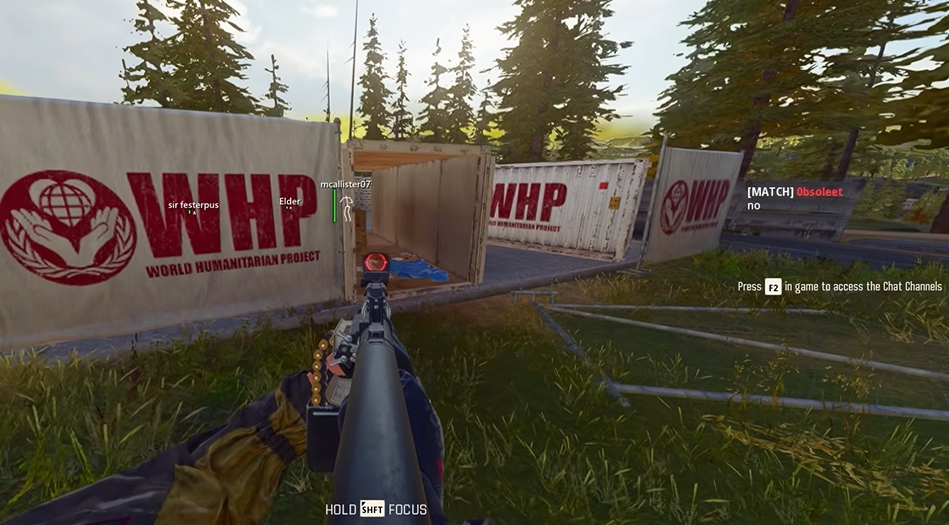
Enable Player ESP
Turns the player overlay on or off.
Max Distance
Limits how far player overlays are drawn. Players past the slider are not shown.
Font Size
Sets the size of player text such as nickname and distance.
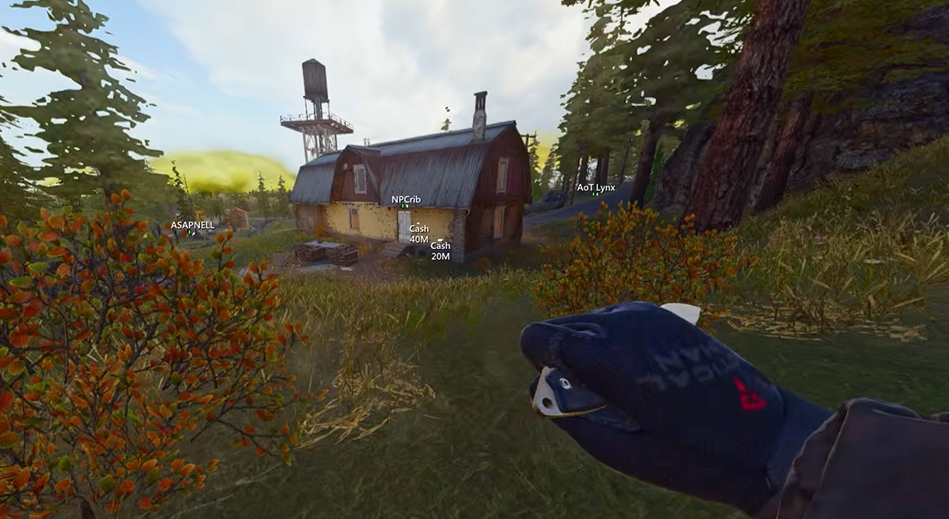
Nickname
Shows the player nickname.
Distance
Shows the distance to the player.
Box
Draws a box around the player.
Box Thickness
Sets how thick the player box lines are.
Lines
Draws a line toward the player.
Lines Thickness
Sets how thick those player lines are.
Custom Lines Position
Chooses where player lines start on the screen.
Skeleton
Draws a skeleton on the player.
Skeleton Thickness
Sets how thick the skeleton lines are.
Font Scale
Sets the text size used for item labels.
Assault Rifle Ammo
Shows assault rifle ammunition.
Pistol Ammo
Shows pistol ammunition.
SMG Ammo
Shows submachine gun ammunition.
Shotgun Ammo
Shows shotgun ammunition.
Sniper Ammo
Shows sniper ammunition.
Rocket Ammo
Shows rocket ammunition.
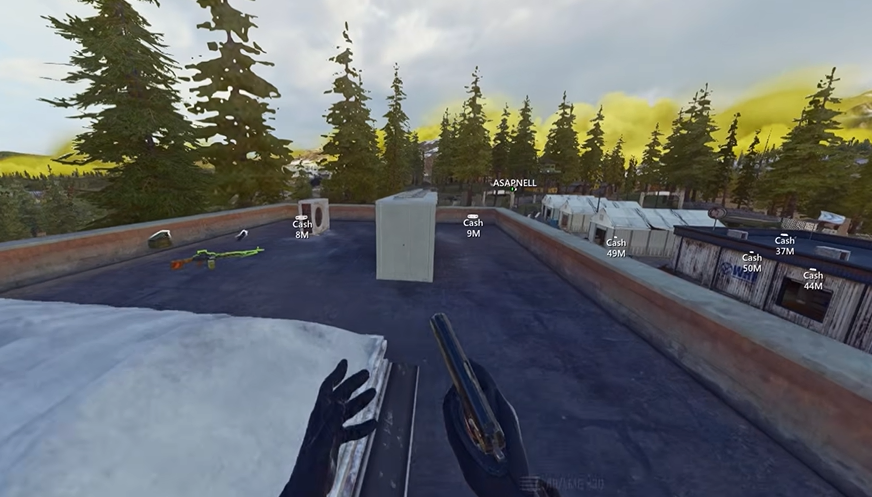
Cash
Shows cash pickups.
Armor
Shows armor pickups.
Perks
Shows perk pickups.
Crates
Shows crates.
Boxes
Shows boxes.
Missions
Shows mission markers included in the item list.
Grenades
Shows grenades.
Knives
Shows knives.
Stim
Shows stims.
Bot ESP
Turns the bot overlay on or off.
Health
Shows a health indicator on bots.
Health Thickness
Sets the thickness of the bot health indicator.
Custom Health Position
Chooses where the bot health indicator is drawn.
Toggle Radar
The radar overlay is switched with the custom radar key bind. The bind itself is listed on the key binds page.
Custom Closest Color
Sets the color used for the closest radar contact.
Custom Enemies Color
Sets the color used for enemy radar contacts.
Custom Visible Color
Sets the color used for visible radar contacts.
Custom Crosshair Color
Color of the aimbot crosshair draw.
Custom FOV Color
Color of the aimbot field-of-view draw.
Custom Target Color
Color of the aimbot target draw.
Custom Distance Color
Color of player distance text.
Custom Nickname Color
Color of player nickname text.
Custom Non-Visible Players Color
Color used for players marked non-visible.
Custom Visible Players Color
Color used for players marked visible.
Custom Distance Color
Color of bot distance text.
Custom Nickname Color
Color of bot nickname text.
Custom Non-Visible Bots Color
Color used for non-visible bots.
Custom Visible Bots Color
Color used for visible bots.
Custom Closest Color
Color for the closest radar contact.
Custom Enemies Color
Color for enemy radar contacts.
Custom Visible Color
Color for visible radar contacts.
Custom Menu Key Bind
Opens the product menu on the key you set.
Custom Hold Primary Key Bind
Hold key for the primary aim action.
Custom Hold Secondary Key Bind
Hold key for the secondary aim action.
Custom Hold Bots Key Bind
Hold key related to bots.
Custom Switch To Head Key Bind
Switches the selected hitbox toward the head while held or pressed, as the bind is set.
Custom Toggle Key Bind
Main toggle for the product.
Custom Toggle Players Key Bind
Toggles the player overlay.
Custom Toggle Radar Key Bind
Toggles the radar overlay.
Custom Toggle Items Key Bind
Toggles item labels.
Select Your Custom Config
Loads a config you already created so its saved settings become the active profile.
Create New Config Name
Text field for the name of the profile you want to store.
Add New Config
Saves the current supported settings under the name you entered.
Warzone Cheats is built for standard Windows gaming PCs. Close overlays and follow the setup walkthrough before your first load.
Runs on Warzone for Windows PC in multiplayer matches. After a game patch, status may show Updating until tested — Warzone Cheats publishes live availability so you know what you are ordering before checkout.
Aimbot, player ESP, item ESP and radar overlays from live Warzone sessions.
Pricing, delivery and compatibility before you buy Warzone Cheats.
Use Get Warzone Cheats on the product page. Current price and access length are shown at checkout. The button label stays on this site; the purchase continues on the checkout page.
Aimbot (FOV, smoothness, max distance, ignore knocked players, save target, aim lock, visibility check, humanized smoothness, custom hitbox, and draw options), player ESP (nickname, distance, box, lines, skeleton, and thickness sliders), item ESP (ammo, cash, armor, perks, crates, boxes, missions, grenades, knives, stim, and font scale), bot ESP (health and health position), radar colors, key binds, and config profiles. See /features.
No. This site does not claim the product is undetected, unbannable, or safe for a main account. Using third-party software can violate the game terms and can lead to penalties. You accept that risk.
Game updates can break a build. Check the product status at checkout before you load after a patch. If the status is updating, wait.
Delivery is digital to the email used at checkout. If it does not arrive, check spam and then use the Support page with your order reference.
Digital access follows the Refunds page. Failed delivery can qualify. A change of mind after working access is generally not refunded. Bans are not an automatic refund.